Tool: Cisco Packet Tracer
Objective
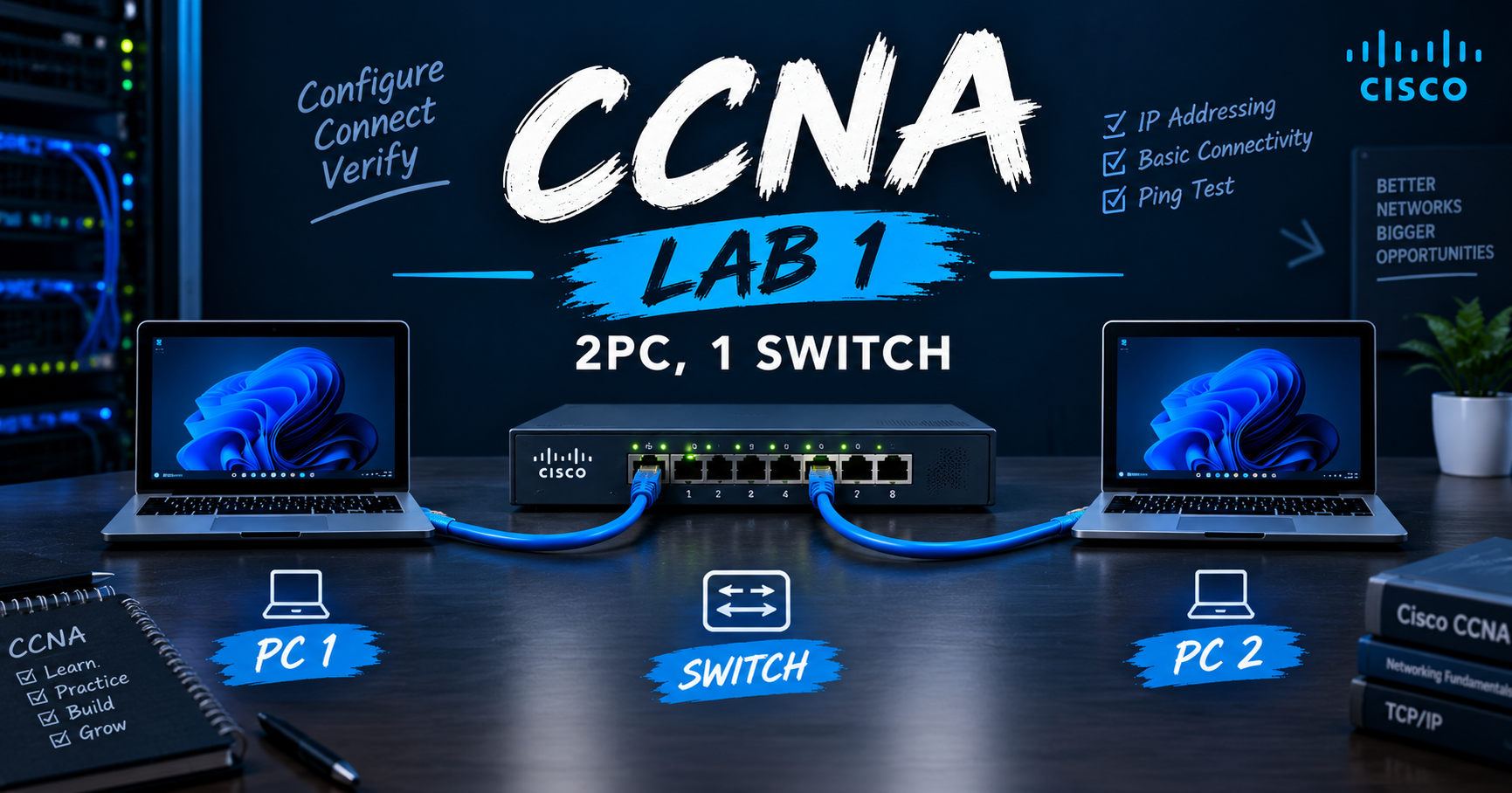
Connect two PCs through a switch, assign static IPs, and verify connectivity with ping.
Topology
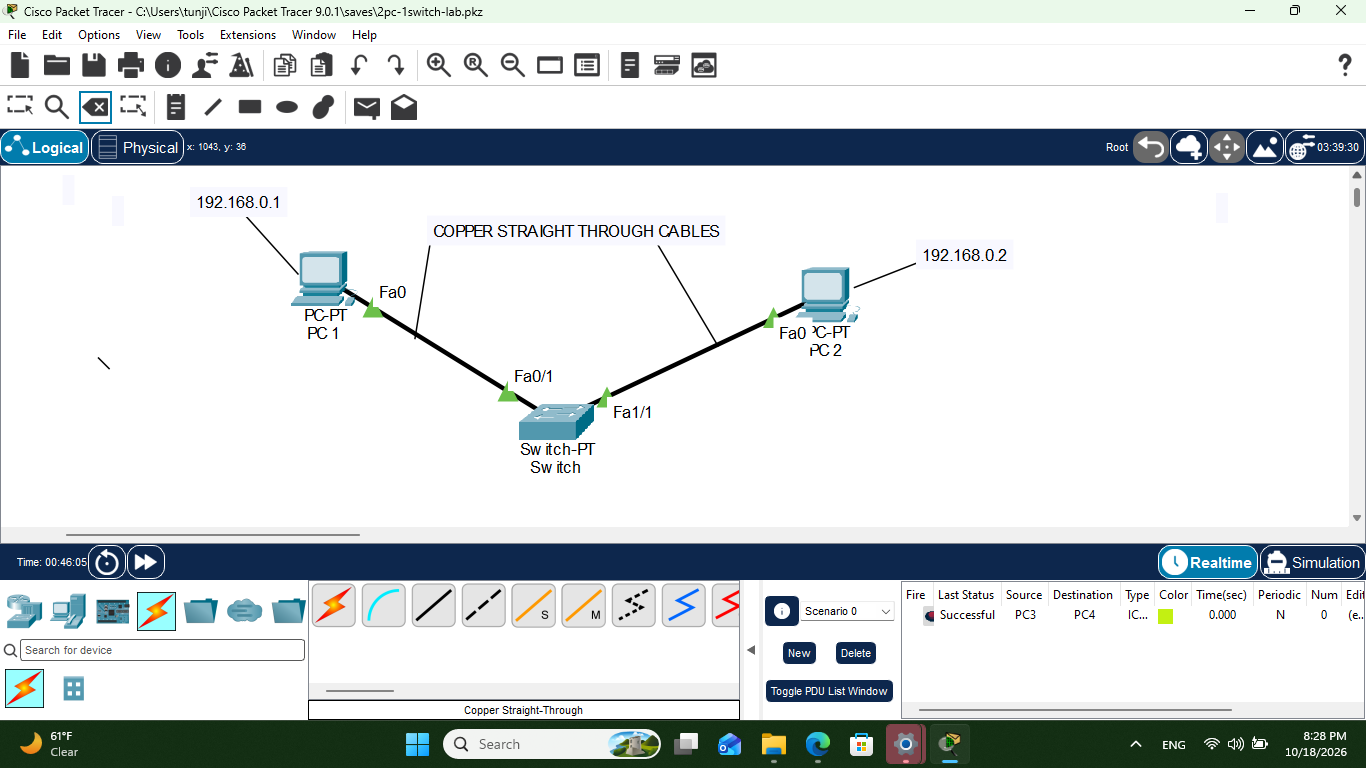
| Link | Cable |
| PC1 to Switch | Copper straight-through |
| PC2 to Switch | Copper straight-through |
Addressing
| Device | IP Address | Subnet Mask |
| PC1 | 192.168.0.1 | 255.255.255.0 |
| PC2 | 192.168.0.2 | 255.255.255.0 |
| MAC Address |
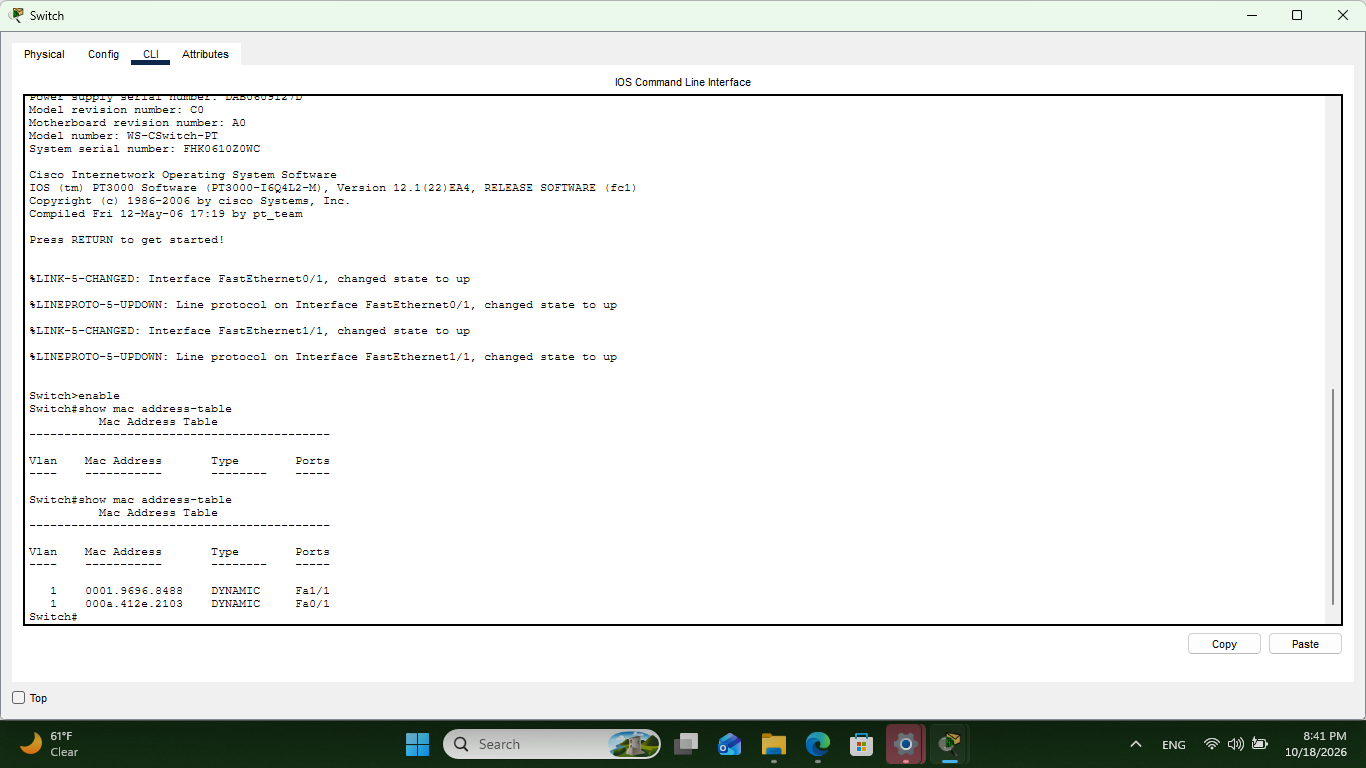
Configuration
On each PC: Desktop > IP Configuration > Static, then enter the IP and mask. No gateway is needed because both PCs are on the same subnet. The switch runs on its default configuration.
Verification
From PC1:
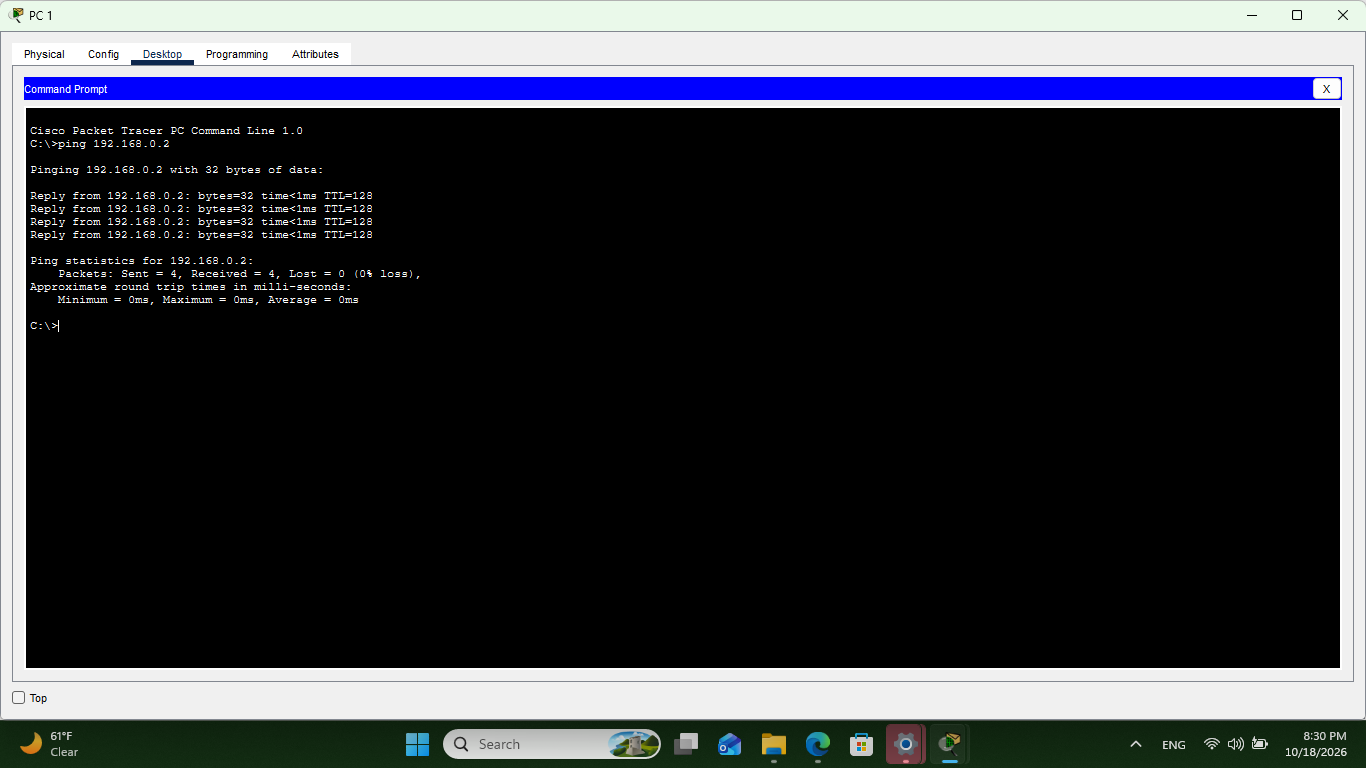
ping 192.168.0.2
Observations
PC1 (192.168.0.1) pinged PC2 (192.168.0.2) across the switch: 4 of 4 replies, 0% loss, round-trip times under 1 ms.
TTL=128 on all replies, the default for Packet Tracer PCs, which fits a single-switch lab with no router.
ipconfig/allreturns "Invalid Command." The correct syntax isipconfig /all, with a space.
Takeaways
Devices on the same subnet communicate through a switch without a router.
Straight-through cable is used for PC to switch.
About the author
- I have always wanted to be a network engineer, but I gave up trying almost two years ago. But now I want to leave the ABA field and become one. This is my journey.
Comments
Join the discussionNo comments yet. Be the first to comment.
Networking Labs
Documentation of a BT (Behavioral Technician)'s journey to become a Network Engineer. From the Network+ --> CCNA